![Spidergap logo — White.png]](https://docs.spidergap.com/hs-fs/hubfs/Spidergap%20logo%20%E2%80%94%20White.png?height=36&name=Spidergap%20logo%20%E2%80%94%20White.png)
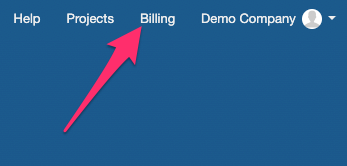
- Click on the Billing section located in the top-right corner of the page.
- Scroll to the 'Invoices and Payments' section and click Add credit card.
We accept Mastercard, Visa, Discover, Diners, American Express, JCB, and CUP.

- Complete the billing information on the screen and click Add card.
Note: Some banks may require an additional verification step, but nothing will be charged.
