![Spidergap logo — White.png]](https://docs.spidergap.com/hs-fs/hubfs/Spidergap%20logo%20%E2%80%94%20White.png?height=36&name=Spidergap%20logo%20%E2%80%94%20White.png)
You can customize the rating scale used in your 360 feedback questionnaire.
To do this:
1. Open the project you wish to update from your My projects page
2. Open the Design section:
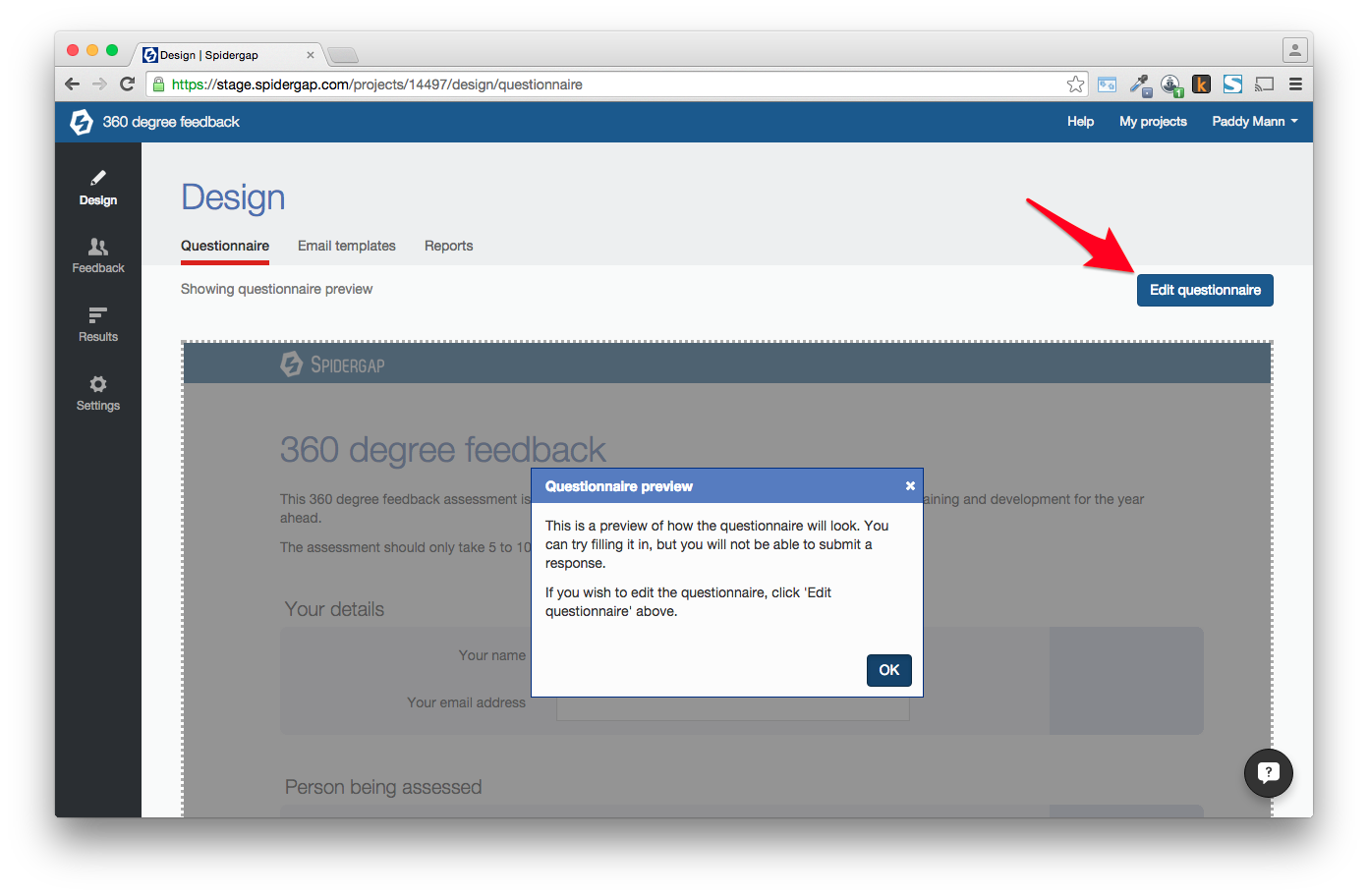
3. Click to edit the questionnaire:
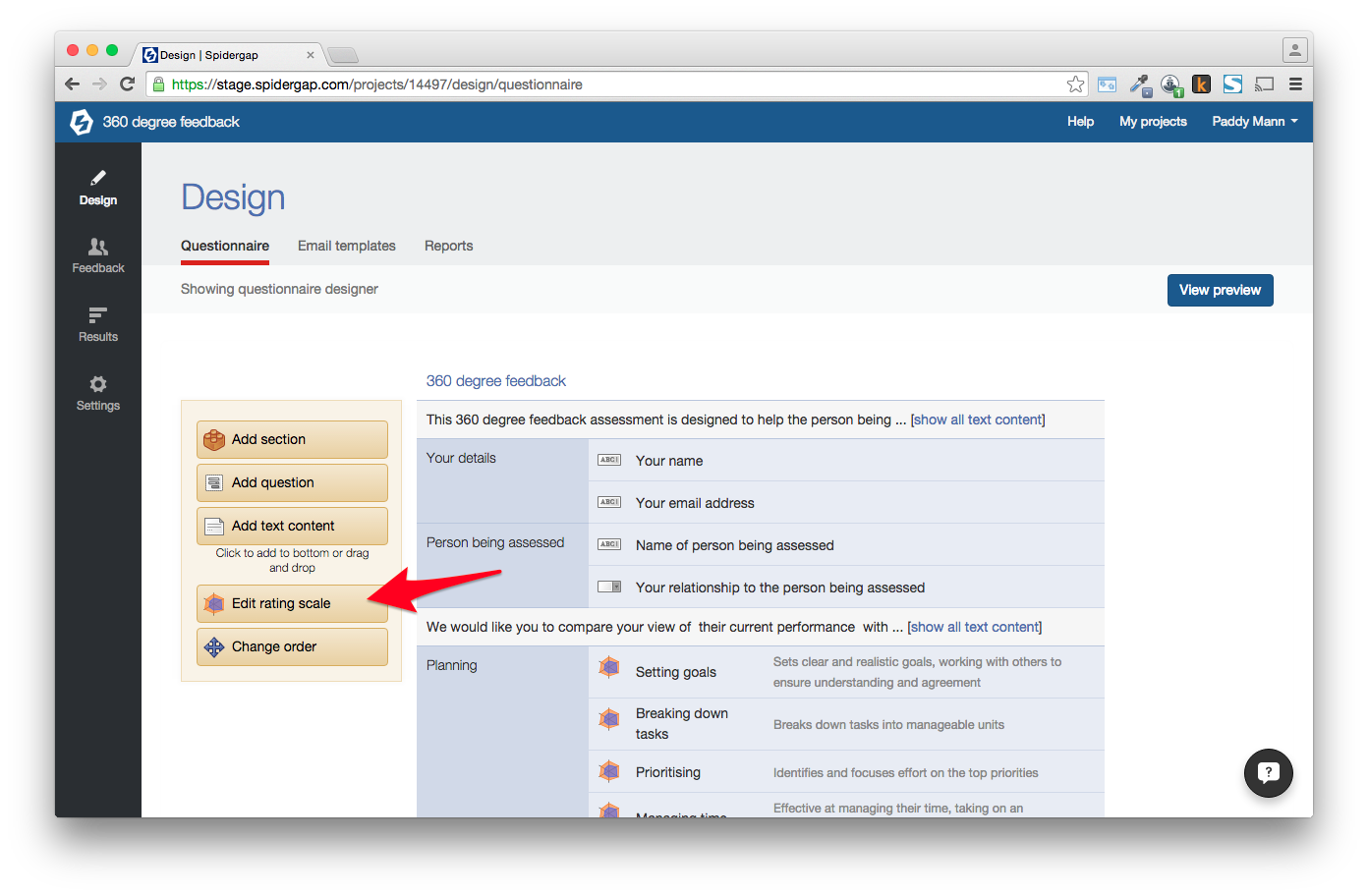
4. Click on the Edit rating scale button (on the left side of the designer):
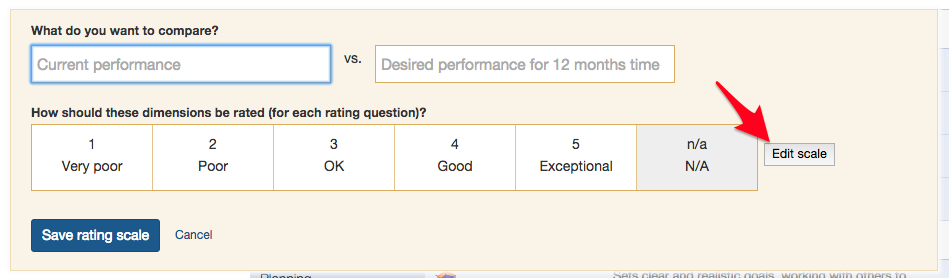
5. Then click Edit scale:
6. You can then edit the scale as shown below:
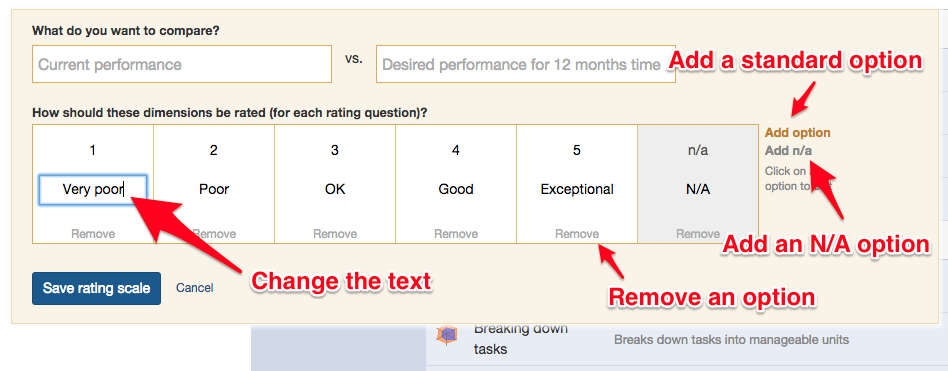
7. When happy with your changes, click Save rating scale.